Free AI Tools for Content Creation (2026 Guide for Creators Who Want Real Results)
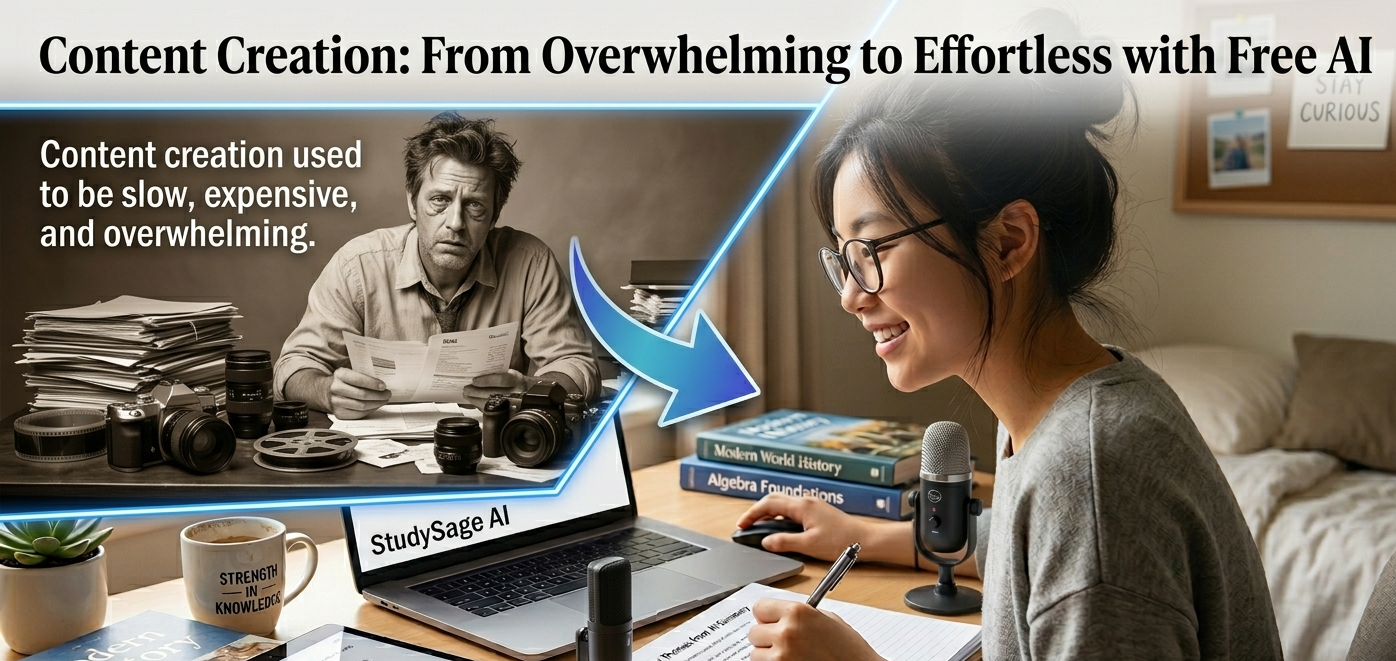
Content creation used to be slow, expensive, and sometimes overwhelming. Today, things have changed. With the rise of free AI tools for content creation, anyone can produce high-quality blog posts, social media content, videos, and more—without hiring a full team.
But here’s the truth most people miss:
👉 AI tools don’t replace creativity—they amplify it.
This guide takes a practical, no-nonsense approach to help you understand which free AI tools actually work, how to use them effectively, and how to stand out in a crowded content space.

Key Takeaways
- Free AI tools can speed up content creation by 3–5x
- The best results come from combining multiple AI tools
- AI works best for ideas, drafts, and optimization—not final output
- Human editing is essential for originality and authenticity
- You can build a full content workflow using only free tools
- Consistency matters more than perfection when using AI
What Are Free AI Tools for Content Creation?
Free AI tools for content creation are software applications that use artificial intelligence to help you:
- Generate written content
- Design graphics
- Edit videos
- Create voiceovers
- Optimize SEO
Think of them as digital assistants that handle repetitive work while you focus on creativity.
Types of AI Content Creation Tools (And What They Do)
To use AI effectively, you need to understand the different categories.
1. AI Writing Tools
These tools help you:
- Write blog posts
- Generate captions
- Create scripts
Examples include:
- ChatGPT
- Copy.ai
- Rytr
2. AI Design Tools
Perfect for:
- Social media graphics
- Thumbnails
- Marketing visuals
Examples:
- Canva
- Adobe Express
3. AI Video & Voice Tools
Used for:
- YouTube videos
- Voiceovers
- Short-form content
Examples:
- CapCut
- Pictory
4. AI SEO & Research Tools
Help you:
- Find keywords
- Optimize articles
- Analyze competitors
Examples:
- Ubersuggest
- Surfer SEO
How to Use Free AI Tools for Content Creation (Step-by-Step Workflow)
Most beginners use AI randomly. That’s why their content feels generic.
Here’s a smarter system.
Step 1: Idea Generation
Start with AI to generate content ideas.
Example prompts:
- “Give me 10 blog ideas about fitness for beginners”
- “Trending topics in tech for 2026”
This helps you avoid writer’s block.
Step 2: Keyword Research
Use tools like Ubersuggest to find:
- Low competition keywords
- Search volume
- Content gaps
Focus on:
- Long-tail keywords
- Question-based searches
Step 3: Content Outline
Ask AI to structure your content.
Example:
“Create an SEO outline for a blog post on weight loss tips”
You’ll get:
- Headings
- Subtopics
- Logical flow
Step 4: First Draft Creation
Use AI writing tools to generate a rough draft.
But don’t stop there.
Your job:
- Add personal insights
- Include examples
- Adjust tone
Think of AI as a rough sketch—not the final painting.
Step 5: Visual Content Creation
Use tools like Canva to:
- Design blog images
- Create infographics
- Improve engagement
Visuals increase readability and time on page.
Step 6: Editing and Optimization
Refine your content using AI:
- Fix grammar
- Improve clarity
- Optimize SEO
Tools like Grammarly help polish your writing.
Step 7: Repurpose Content
Turn one piece of content into many formats:
- Blog → Twitter threads
- Blog → YouTube script
- Blog → Instagram posts
This multiplies your reach without extra effort.
Real-Life Case Study: Growing a Blog Using Free AI Tools
Let’s break this down with a practical example.
Scenario:
A beginner blogger wants to grow traffic.
Tools Used:
- ChatGPT → Content writing
- Canva → Graphics
- Ubersuggest → Keywords
Process:
- Found low-competition keywords
- Generated article ideas
- Created SEO outlines
- Wrote content with AI assistance
- Added custom images
Result (After 30 Days):
- Increased blog traffic
- Published consistent content
- Built authority in a niche
Common Mistakes When Using AI Tools
❌ Copying AI Output Directly
This leads to:
- Low-quality content
- Duplicate content issues
❌ Ignoring SEO
Even great content won’t rank without:
- Keywords
- Structure
- Optimization
❌ Using Only One Tool
Each tool has strengths. Combining tools gives better results.
❌ No Personal Touch
AI content without human editing feels robotic.
Best Practices for Using Free AI Tools
✔ Add Personality
Your voice matters. Add:
- Opinions
- Stories
- Experiences
✔ Fact-Check Everything
AI can be wrong. Always verify important information.
✔ Focus on Value
Ask yourself:
“Does this content actually help someone?”
✔ Be Consistent
Posting regularly beats posting perfectly.
Advanced Strategies (Most Beginners Don’t Know)
1. Stack AI Tools Together
Instead of relying on one tool:
- Use one for ideas
- Another for writing
- Another for SEO
This creates a powerful workflow.
2. Train AI With Your Style
Give AI examples of your writing.
This helps it:
- Match your tone
- Produce better drafts
3. Build Content Systems
Create templates for:
- Blog posts
- Social media
- Emails
This saves time and improves consistency.
4. Focus on Evergreen Content
Write content that stays relevant:
- Tutorials
- Guides
- How-to articles
These bring long-term traffic.
Why Free AI Tools Are Enough in 2026
You don’t need expensive tools to succeed.
Free AI tools already provide:
- Writing capabilities
- Design features
- SEO insights
The difference is not the tool—it’s how you use it.
Final Thoughts
Free AI tools for content creation have opened the door for anyone to become a creator.
But tools alone don’t create success.
The real advantage comes from:
- Strategy
- Consistency
- Creativity
Use AI as your assistant, not your replacement.
If you focus on helping your audience and improving your content over time, results will follow.
FAQ: Free AI Tools for Content Creation
1. Are free AI tools good enough for beginners?
Yes. Most free tools offer enough features to create high-quality content without paying.
2. Can I use AI-generated content for blogging?
Yes, but you must edit and personalize it to ensure originality and quality.
3. What is the best free AI tool for writing?
ChatGPT is one of the best for writing and idea generation.
4. Do AI tools help with SEO?
Yes. Tools like Ubersuggest help find keywords and optimize content.
AI Tools for Side Hustles
5. Can I make money using free AI tools?
Yes. Many creators use AI to:
- Grow blogs
- Run social media pages
- Create digital products
About The Author

Leave a Reply